

How do I confirm cash-on-delivery orders?
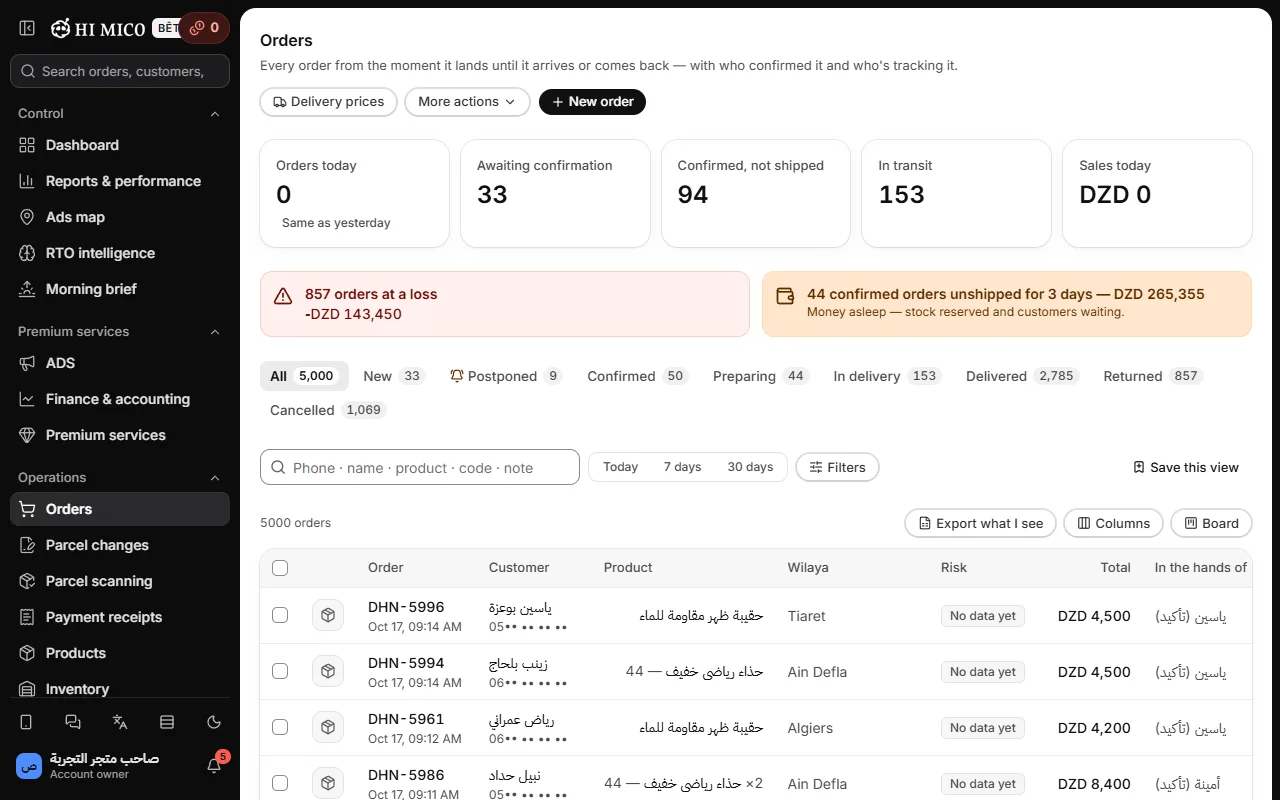
Confirmation is the barrier between an order and a lost dinar: one call before shipping reveals the customer who changed their mind or got the address wrong. In Hi Mico every confirmation agent finds their orders in front of them, logs every attempt, and no order gets lost between two people.
Last updated:
1. Every order is born with someone in charge
You choose how new orders are shared out across your team: in rotation, by workload, by performance, by wilaya, by source, by product or by shift schedule. When someone is away, their new orders move to a colleague who is online, and each person only sees their own orders.
2. Call and record what happened
The confirmation agent opens the order, calls the customer or messages them on WhatsApp, then picks the outcome: confirmed, no answer, busy, asked to postpone, wrong number, or refused with the reason. Every attempt stays in the order’s history, and a confirmed order reserves its stock. On a phone, the agent confirms straight from the order’s card without opening the details.
3. No answer? Postpone to a set time
The confirmation agent picks the callback time — in an hour, this evening or tomorrow morning — and the order leaves their list and comes back when it is due. Nobody calls the same customer ten times in an hour, and nobody is forgotten.
4. Look before you confirm
On the order you see what should alert you: the “Likely duplicate” badge, the customer you blocked with the reason you wrote, and the return risk with its “Suggestion for the call”. With the “Available stock” button the confirmation agent knows how much of the product is left before promising it, and sees the delivery price for the customer’s wilaya — or that your carrier shows “No delivery” there.
5. Let the WhatsApp bot confirm for you
If you connect your number to the WhatsApp bot, it confirms new and postponed orders with your customers from your number, during its working hours and within its hourly message cap. It leaves you what needs a person: a likely duplicate, an order held by “Fake orders”, one whose return risk is above your threshold, one with a size out of stock, one whose wilaya has no delivery price, and orders that were imported or entered by hand.
The bot shows up in “Team” like a member: you see what it confirmed, what it is handling right now and what it saved you compared with paying an agent to confirm by hand.
6. Measure your team and pay for what they do
At the top of the orders list you see the confirmation and delivery rates for the last 24 hours, and in “Statistics” each person’s confirmation speed, from the order reaching them to their decision. You pay a confirmation agent an amount per confirmed or delivered order, or a monthly salary, and what they are owed is calculated on its own.