

How do I manage cash-on-delivery orders from order to profit?
In cash on delivery, an order isn’t finished when the customer taps “Order”: it is confirmed by a call, then shipped, then delivered or returned, then its money reaches you from the delivery company. This guide walks you through the six steps as they work in Hi Mico.
Last updated:
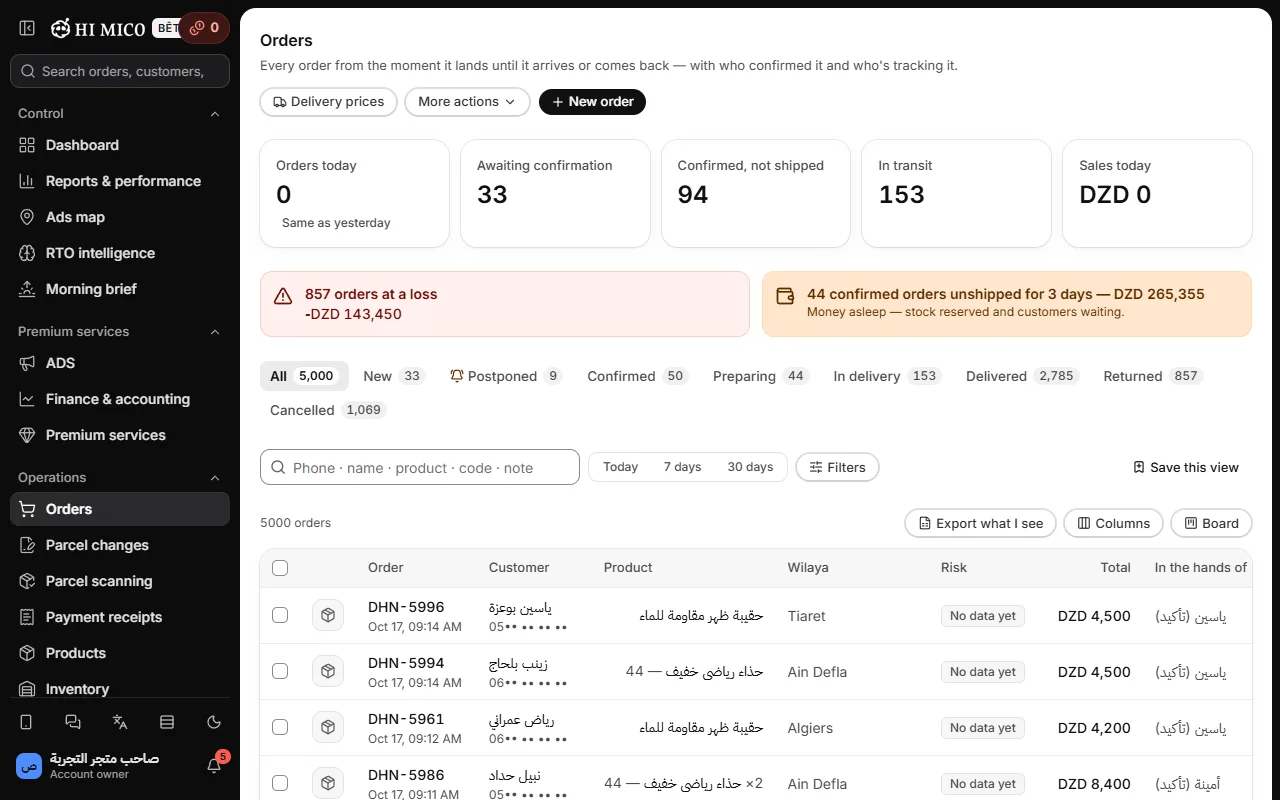
1. Gather your orders in one list
Orders come in on their own from your store and the landing pages you build in Hi Mico, from the external store you connect in “Sales channels”, and from Facebook lead forms and Google Sheets. You add one by hand when a customer orders by phone, or import an Excel file and see what was read before anything is saved.
Every order has one clear status: new, postponed, confirmed, preparing, out for delivery, delivered, returned or cancelled. You always know where each order is, and you save your filters as a view you open in one click every morning.
2. Confirm every order before you ship it
Every new order is born with someone on your team in charge of it. The confirmation agent calls the customer or messages them on WhatsApp, then records what happened: confirmed, no answer, busy, asked to postpone, wrong number, or refused with the reason. A postponed order comes back at the time chosen, and a confirmed order reserves its stock.
If you connect your number to the WhatsApp bot, it confirms with your customers from your number and leaves you what needs a person. This step is covered in detail in the “Confirming orders” guide.
3. Send the confirmed order to your delivery company
Once your account is connected to your delivery company, you send the confirmed order to it from the platform and print the parcel slip as a PDF. The carrier gets the customer’s name and phone, wilaya, commune and address or office, and the amount to collect after the deposit if one was paid. The tracking number is saved on the order.
When the driver comes, you scan the parcels onto the handover slip, so you know what actually left — and stock goes down with every parcel that leaves.
4. Follow the parcel until it is delivered or returned
No delivery company sends an instant notification when a parcel moves, so the platform asks the carrier at regular intervals and updates the order by itself: out for delivery, delivered, returned. On the order page you see everything the carrier said, by day and hour, the delivery attempts, the driver’s comments and the driver’s number when the carrier provides it.
If a parcel needs changing after the carrier has picked it up, you request it from “Parcel changes” when your carrier accepts it.
5. Collect your money and put returns back on the shelf
In “Carrier payouts” you see what each carrier collected from your customers on delivered orders, minus delivery and return fees, what it should pay you, what you have received and what it still holds. You record every payout you receive.
When a returned parcel comes back, you scan it: its goods go back on the shelf, and its loss is deducted from your profit on the day it returns.
6. Read your real profit
In “Finance & accounting” the calculation starts from delivered sales only, then takes away the cost of goods, packaging, delivery, losses on returns and advertising. The month is counted by delivery day, not order day, so you see what actually came in. This step is covered in detail in the “Calculating your real profit” guide.