

Delivery companies connected to your orders
Once an order is confirmed, another job starts: creating the parcel at the carrier, printing its slip, following it until it is delivered or returned, then claiming your money. Hi Mico connects your account to your carrier with its API key, so all of that happens in one place.
How the connection works
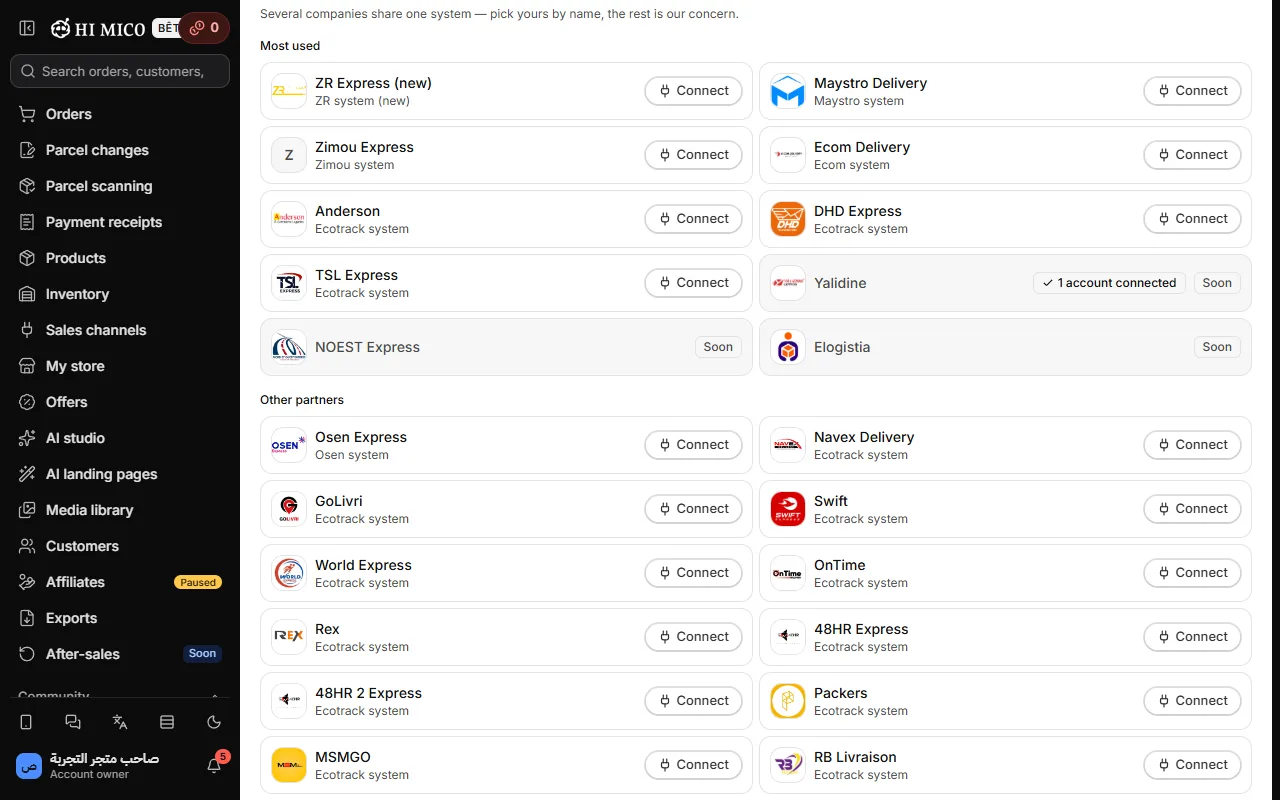
You pick your carrier from the list and copy the API key from its dashboard; Hi Mico tests it before saving it. You then send the confirmed order to the carrier from the platform, print the parcel slip as a PDF, and the carrier’s reference data is pulled in: wilayas, communes, pickup offices and delivery prices.
Many carriers share the same system, so you pick yours by name and the platform handles the rest. If the carrier ever rejects your key, the platform tells you on its card.
Carriers you can connect today
This list is read from the platform’s own catalog: every carrier here can be connected, sent parcels and tracked today. Carriers whose connection isn’t finished show in the platform as “Coming soon” and are not listed here.
 ZR Express (new)
 Osen Express
 Maystro Delivery
- Zimou Express
 Ecom Delivery
 Anderson
 DHD Express
 TSL Express
 Navex Delivery
 GoLivri
 Swift
 World Express
 OnTime
 Rex
 48HR Express
- 48HR 2 Express
 Packers
 MSMGO
 RB Livraison
 Lynx Express
What goes out with the parcel
The carrier gets what it needs: the customer’s name and phone, wilaya, commune and address or office, and the amount to collect after the deposit if the customer paid one. The tracking number is saved on the order. If a parcel needs changing after the carrier has picked it up, you request it from “Parcel changes” when your carrier accepts it.
Parcel status without calling the carrier
No carrier sends an instant notification when a parcel moves, so the platform asks the carrier at regular intervals and updates the order by itself: out for delivery, delivered, returned. On the order page you see everything the carrier said, by day and hour, the delivery attempts, the driver’s comments and the driver’s number when the carrier provides it.
What each carrier provides — honestly
Carriers don’t offer the same services: some accept changes to a parcel after it leaves and some don’t; some give the driver’s number, express delivery or a price per office. The “What each carrier provides” page in the platform spells this out service by service, so you know before choosing that a gap is the carrier’s, not the platform’s.
Your money, returns and your own drivers
Hi Mico calculates what each carrier collected from your customers and what it should pay you, and you record its payouts. You scan parcels onto the handover slip when the driver picks them up, and scan each return when it arrives so its goods go back on the shelf.
If you have your own delivery staff, each one takes their parcels on their phone and records deliveries and attempts there.
Frequently asked questions
Which delivery companies does Hi Mico support?
The list on this page is read from the platform itself and changes as each new connection is finished. Inside the platform you also see the upcoming ones, marked “Coming soon”.
Where do I find my carrier’s API key?
In your account dashboard at the carrier; some carriers also ask for your dashboard address. Hi Mico tests the key as soon as you save it and tells you if the carrier rejects it.
Why is a parcel status sometimes late?
Because carriers don’t send instant notifications, the platform asks them at regular intervals. On the order page you can ask for an update right away.
Can I work with more than one carrier?
Yes. You connect several carriers, make one the default, and pause or resume a carrier whenever you like.
Are return fees counted?
Yes. Return fees come from the carrier or are entered by you, and are deducted from your money held by the carrier and from your profit on the day the parcel comes back.