

Wilayas and delivery: how it works in Hi Mico
In cash on delivery, everything changes with where the parcel is going: the delivery price, whether the carrier has an office there, how long it takes and how likely it is to come back. Hi Mico builds all of this around the wilaya and the commune, from your carrier’s reference data and from your own orders.
Wilaya and commune on every order
Every order carries a wilaya, a commune and an address, or a pickup office if the customer chose office delivery. An order with an incomplete destination can’t be confirmed until it is complete, so no parcel leaves for an address the carrier would reject. The platform’s list of wilayas follows the delivery companies’ own list. Each wilaya’s name is available in Arabic, French and English.
The carrier’s reference data: communes and offices
When you connect a delivery company, its reference data is pulled in: the wilayas and communes it serves, and its offices and pickup points. Customers see your carrier’s offices in their wilaya on the order form, and each commune name is matched to the name the carrier uses. You can refresh this reference data in one click whenever you like.
Home price and office price for every wilaya
Delivery prices are pulled from the carrier, and you can enter “your price” for the customer in any wilaya on top of them; an empty field keeps the carrier’s price. Whoever talks to customers sees a board with the home and office price in every wilaya and the carrier behind it, or “No delivery” where it doesn’t serve.
Return fees come from the carrier; if it doesn’t provide them, you enter them once: one amount for all wilayas or one per wilaya. Some carriers set a price for each office, which you then see as it is.
Express delivery and your own couriers
When your carrier offers express delivery, you switch the order to express at that day’s customer price. If you have your own couriers, you hand them parcels from the platform, and each courier’s pay is calculated from their own book, not from the carrier’s rates.
Delivery times, returns and profit by wilaya
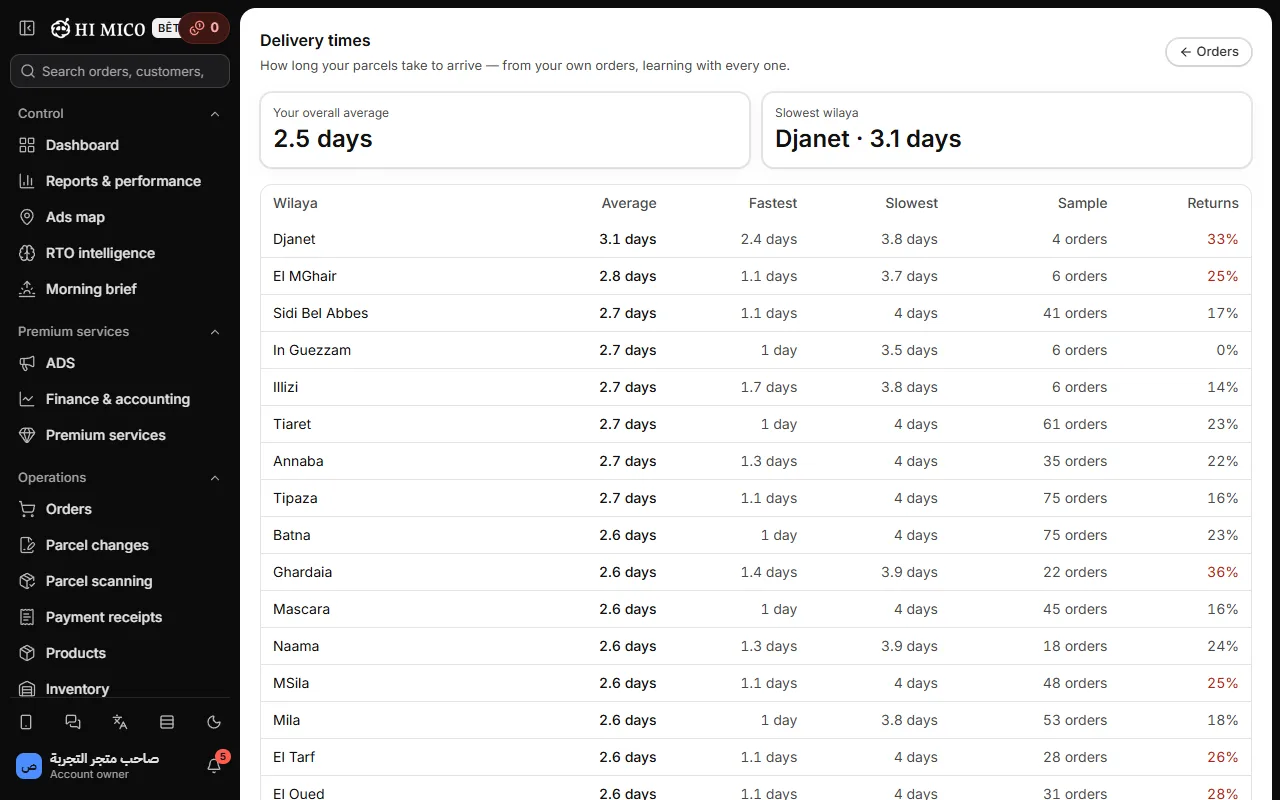
The Delivery times page uses your own orders to show how long a parcel takes in each wilaya: average, fastest, slowest and return rate. In finance you can view your products’ profit by wilaya, and the Ads map shows what each delivered order cost you in every wilaya.
You can offer free or cheaper delivery in the wilayas you choose, and share orders among your confirmation team by wilaya.
Frequently asked questions
Can I set the delivery price myself?
Yes. The carrier’s price is pulled automatically, and you enter “your price” for the customer in any wilaya you want, for home or office; an empty field keeps the carrier’s price.
What is the difference between home and office delivery?
With home delivery the driver brings the parcel to the customer’s address; with office delivery the customer collects it from the carrier’s office. Each has its own price, and offices come from the carrier’s reference data.
What if my carrier doesn’t deliver to a wilaya?
The wilaya shows “No delivery” on the price board, so whoever calls the customer knows before confirming.
How is the delivery time per wilaya calculated?
From your own delivered orders, wilaya by wilaya. The more orders you have, the more accurate the number gets.
Does the customer see the delivery price before ordering?
Yes. On the order form of your store and landing pages, the home or office price for their wilaya shows as soon as they pick it, and is added to the total.